
<img height="1" width="1" style="display:none" src="https://www.facebook.com/tr?id=1386548816544472&amp;ev=PageView&amp;noscript=1">

Free guide

Is Your Team Actually Using Copilot?

25 Microsoft 365 Copilot workflows across five personas and three adoption stages.

Copilot-hero

Why employees aren't using Copilot

Most Copilot rollouts stall in the same place. Licenses are assigned. A handful of employees summarize meetings, draft emails, rewrite paragraphs. Most never build it into the work they repeat every day.

That is the productivity gap: the tools are there, but daily habits have not changed. This guide is built for the leaders who already see that and need a concrete shortlist of workflows to close it; 25 practical examples that move employees from occasional prompts to consistent, role-based Copilot use, without new licenses or new tools. The webinar serves as the supporting walkthrough you can watch afterward to see the model behind those workflows in context. 

What you'll get

A practical shortlist your team can put to work this week:

  • A clear way to move employees from occasional prompts to daily Copilot habits.

  • Workflows mapped to five common roles, so every team has a starting point that fits their work.

  • A Crawl, Walk, Run path that lets you start with quick wins and add depth as your team is ready.
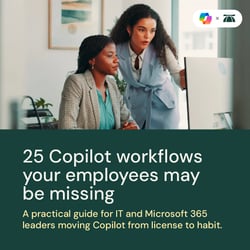
Two women examine a computer screen in an office setting and the title of the ebook, 25 Copilot workflows your employees may be missing, sits above the subtitle, A practical guide for IT and Microsoft 365 leaders moving Copilot from license to habit.

Ready to close the Copilot skills gap?

Get the guide now and give your team the Copilot workflows they're missing.